
Search engine optimisation (SEO) best practice for video makes your content more visible and helps you reach your target audience. Not sure where to start? Work through this list of video SEO best practices.
This article covers video SEO tips and answers the most common questions on the subject.
7 SEO best practices to reach your target audience
Google can index videos from YouTube and other websites and show them to searchers. These are the tips we will cover for optimising videos for SEO:
- Do your keyword research
- Create useful, high-quality video content
- Use YouTube features and structured data
- Let Google fetch your video files
- Publish a transcript of your video
- Add internal links to and from your videos
- Create a video sitemap
Let's look at each of these video SEO tips in detail.
1. Do your keyword research
First things first: carry out keyword research.
Most SEO campaigns start with keyword research, and video SEO is no different. Keyword tools such as Ahrefs or Ubersuggest let you find the relevant keywords your prospective customers use when they look for your products or your competitors' products.
When you search for your main keywords on YouTube, you also get an idea of the other searches on related topics.
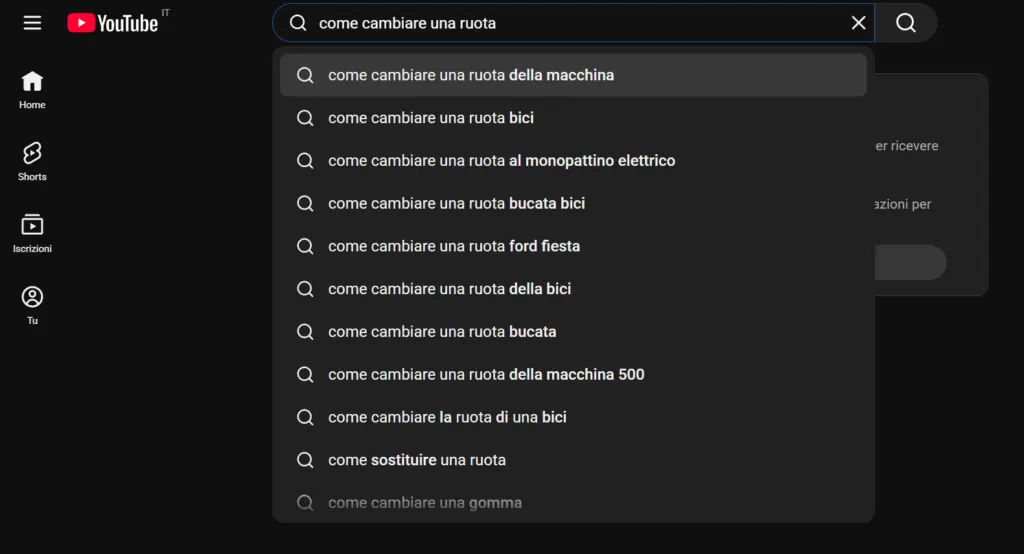
Use your main keywords and two or three relevant long-tail keywords in your video title and description to optimise it for search. You can also use keywords within the video itself.
Because YouTube can transcribe your video, if your main keywords are spoken in it, Google can see them in the transcript. The same mechanism applies in TikTok SEO, where spoken audio is transcribed and read by the algorithm.
Saying your main keywords in the video also tells viewers they have landed on the right video.
You can also try audience research tools to get a better picture of your target market and what it is searching for online.
2. Create useful, high-quality video content
Make your video stand out by producing something your target audience will find useful, entertaining and engaging.
How does high-quality content affect SEO? Original, well-made content helps your video stand out in the SERPs on Google and in YouTube search results, which raises the click-through rate.
A couple of SEO tips to make videos appealing to searchers:
- Use a custom thumbnail for each of your videos to show clearly what it is about.
- Add tags to your YouTube videos. Tags help YouTube understand a video's context, so your videos can appear in relevant searches.
3. Use YouTube features and structured data
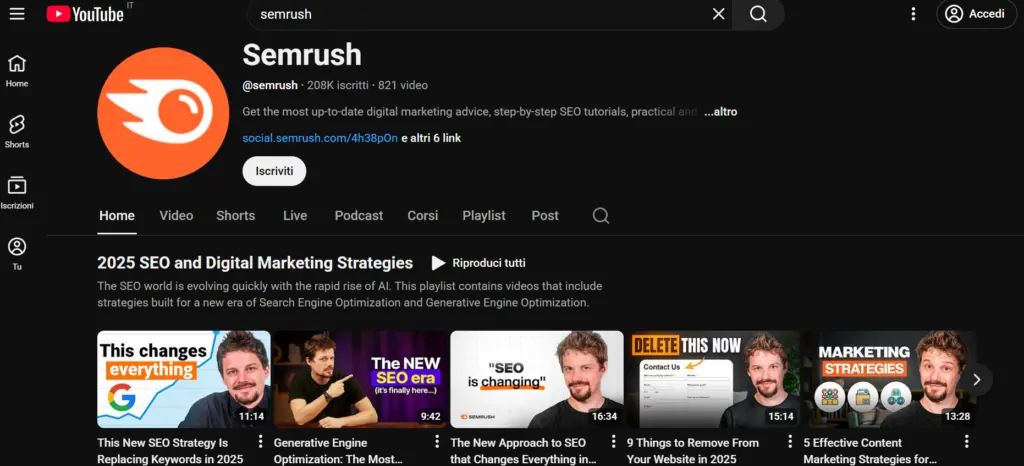
Optimising videos for SEO means helping search engines find and understand your video content. The Key Moments feature and the LIVE badge help search engines index your videos and help users find content that matches their search intent.
Adding structured data is also one of the best practices for video SEO. Structured data is a description of your pages that makes it easier for search engines to understand the content.
Here is a quick look at each of these elements:
Key Moments: split your videos into key sections
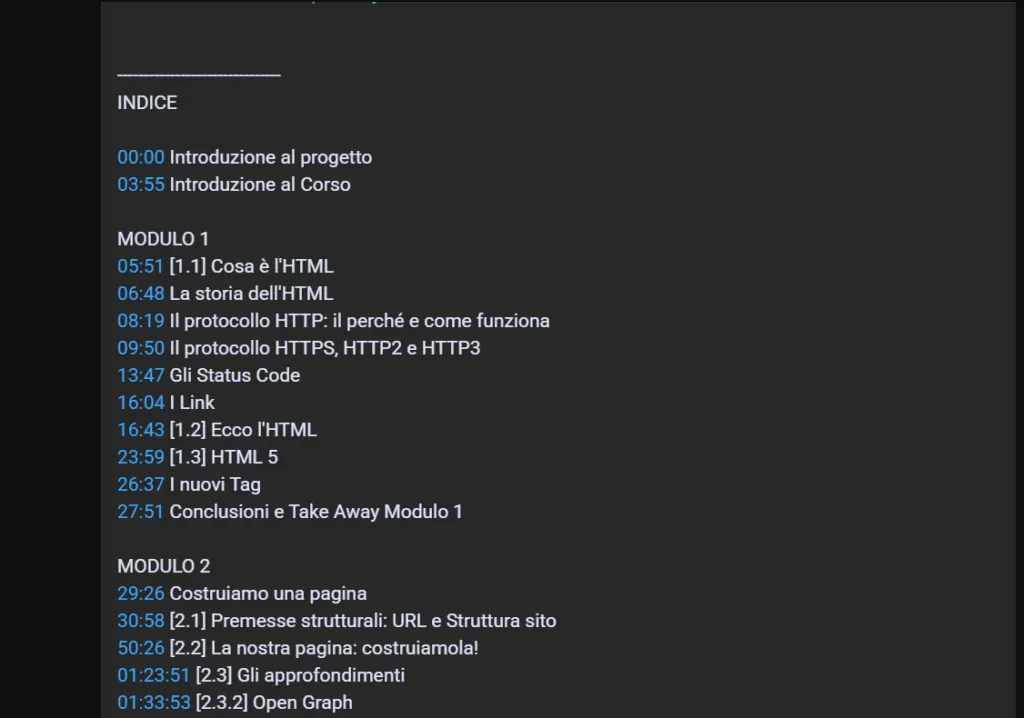
The "Key Moments" feature splits your videos into sections. According to Google's documentation, the search engine tries to detect automatically the different segments of your video. However, it gives priority to the key moments you have set through structured data or YouTube.
Is your video on YouTube? Add timestamps and labels in the video description to tell YouTube and Google where the key moments are, as in the example below. You can also read Google's best practices for marking timestamps on YouTube.
LIVE badge: tell viewers the video is a live broadcast
The LIVE badge is a red label that appears in search results to show that a video is currently being streamed live. To add one to your video, use BroadcastEvent structured data and the Indexing API. Follow Google's livestream guidelines to make sure you meet the requirements.
For example, a charity running a live-streamed event to attract donations or to show what those donations have achieved could use the LIVE badge.
Structured data: help Google find your video and show it in relevant searches
Use structured data that describes your video. This way Google can understand the video and include it in relevant search results. Make sure the structured data you provide is consistent with the content of your video.
4. Let Google fetch your video files
You have enabled Key Moments on your videos and added thumbnails. Now, to make sure Google can index your video page and show it in the SERPs, you need to let the search engine fetch the video files so it can understand what they contain.
Allowing Google to fetch your video files also enables video previews and other features such as Key Moments.
Allowing Google to fetch your video files also enables video previews and other features such as Key Moments. A video preview in the SERPs is a clip from your video, a moving preview that helps users understand your content. You can set the maximum length of video previews.
5. Publish a transcript of your video
Another good video SEO practice is to publish the video's transcript on your website. Embed the video on the same page so readers can also watch it.
Video transcripts are full of keyword-rich text that helps Google index your videos. Transcripts are also good pages to link to from other relevant pages on your site, spreading "link juice".
Advanced tip
Make sure your video is available on a public web page, either on your own site or published publicly on a video platform such as YouTube. This helps Google find and index your video. Check that no robots.txt rules or noindex meta tags are blocking these pages.
6. Add internal links to and from your videos
Internal links guide users around your site from one page to another. They also help search engine crawlers index your videos.
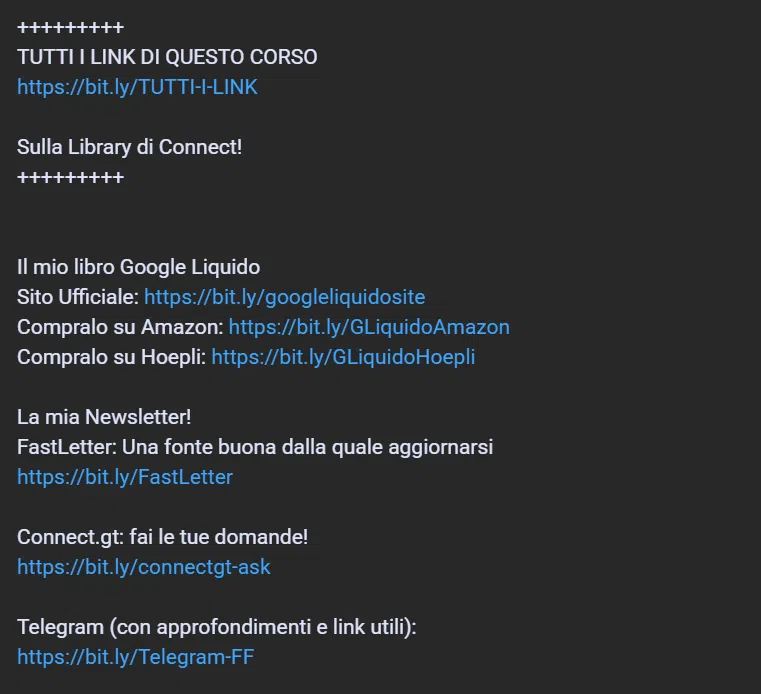
You can add links pointing to your video transcript pages from other relevant pages on your site. If your videos are on YouTube, add links to relevant pages of your site in the video description to send viewers and search engine bots to your site.
7. Create a video sitemap
Make your videos easy for Google to find by creating a sitemap for them and submitting it to the search engine. A sitemap helps search engines index your videos so they can appear in search results.
The best formats for video sitemaps are XML, RSS, mRSS and Atom 1.0.
There are several sitemap formats. Google's sitemap guidelines state that the best formats for video are XML, RSS, mRSS and Atom 1.0.
Video SEO FAQs
Now that we have been through each item on our video SEO checklist, here are the answers to the questions we are asked most often.
What is video SEO?
Video SEO is the process of optimising video content so it ranks for relevant queries on search engines such as Google and Bing.
Why does video SEO matter?
Video can strengthen your marketing. In fact, 90% of customers said that videos helped them make a purchase decision.
That is why you want your audience to find your video content when they search for it. Video SEO tips can help you rank in the SERPs and increase your brand's awareness and your videos' visibility.
What are the benefits of video SEO?
Applying video SEO best practice helps you get these results:
- Higher click-through rates for your site in the SERPs: results with a video thumbnail catch users' attention more than text-only results.
- More engagement on your page: embedding a video on your pages as part of your video SEO work encourages visitors to interact with the page and stay on the site for longer.
- More backlinks from other websites: backlinks are a large part of an SEO strategy, as they are ranking factors. When other authoritative sites link to your videos and pages, you reach a wider audience. You also signal to search engines that you are a credible, authoritative source on the subject.
Reach your target audience with video SEO best practice
Now that you have your video SEO checklist, start applying these tips so prospective customers can find your content and start engaging with your business. If you need professional help, get in touch.
